 RadCal
All your people.
All their plans.
The family calendar for iPhone that puts everyone's day side by side.
Join the betaComing to the App Store this fall.
RadCalThe family calendar for iPhone that puts everyone's day side by side.
Each person gets a column with their face on top. Scroll and the whole family's day moves together.
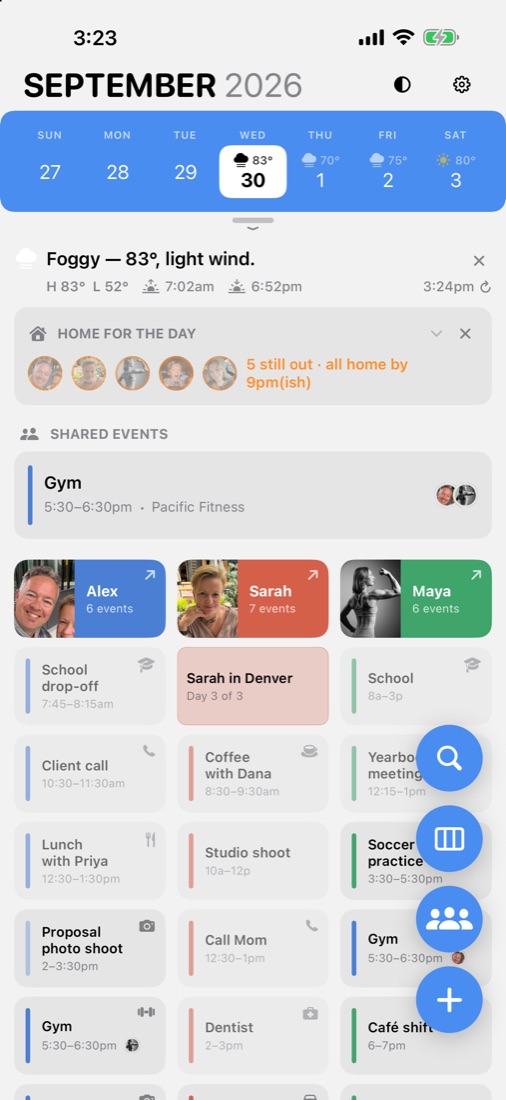
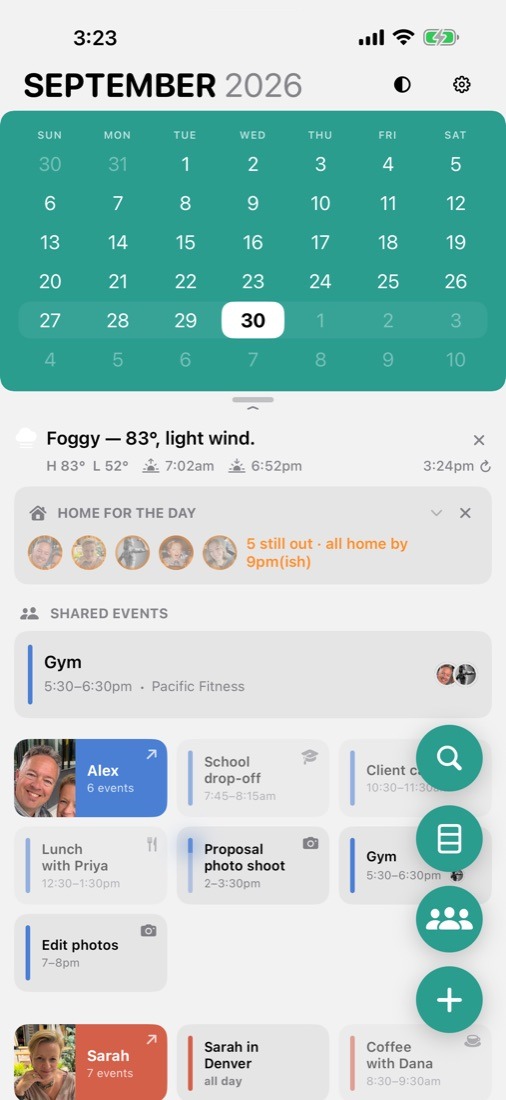
Pull the calendar down for the month, push it back for the week. RadCal remembers which you like.
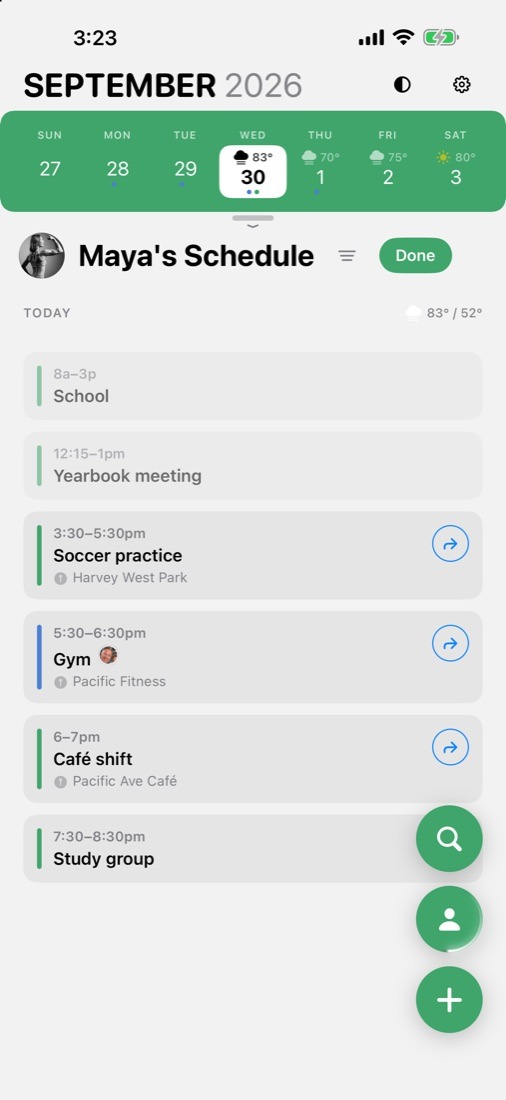
Everyone else steps aside and you're looking at just Maya's schedule, in her color.
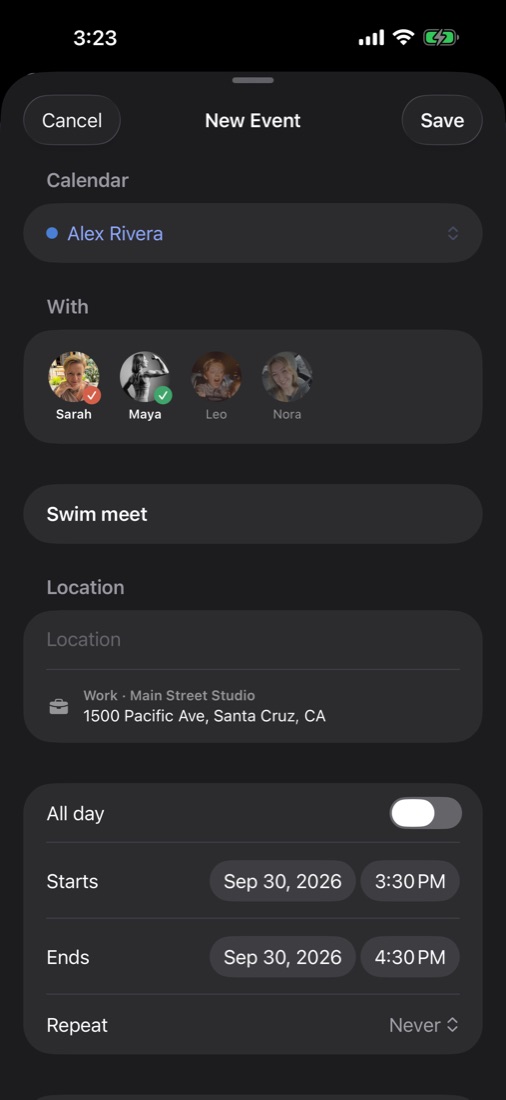
Tap the people going. RadCal puts a copy on each of their calendars and keeps it in step if plans change.
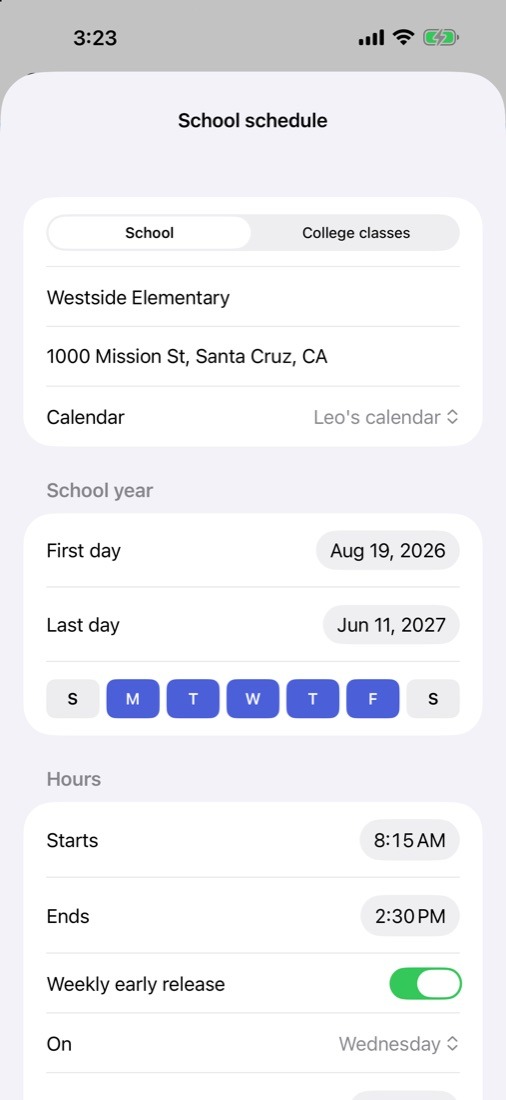
First day, bell times, breaks, days off, early release and the bus. College classes too, each on its own days.
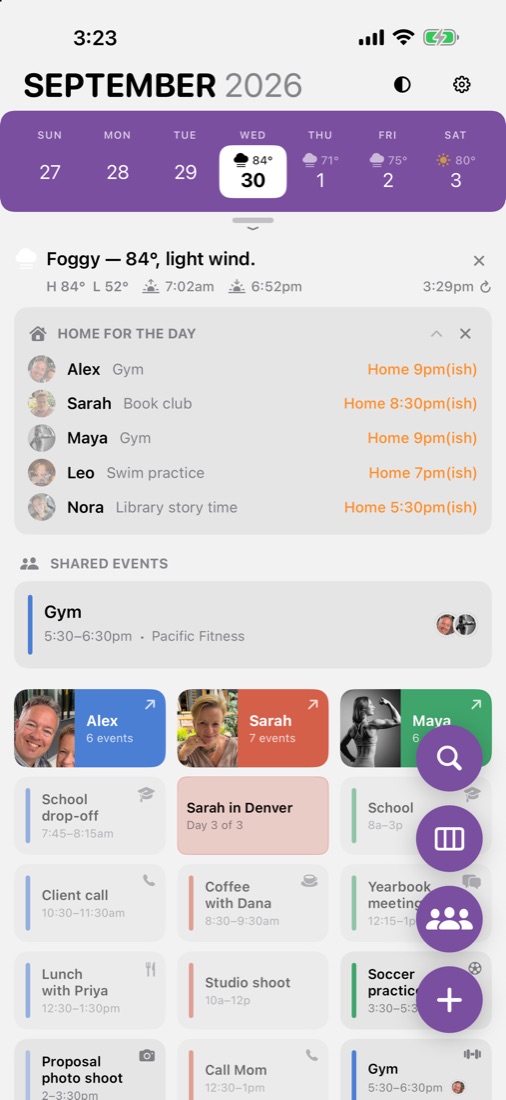
RadCal adds up the drive times and tells you who will be home in time for dinner, and who gets to handle the dishes.
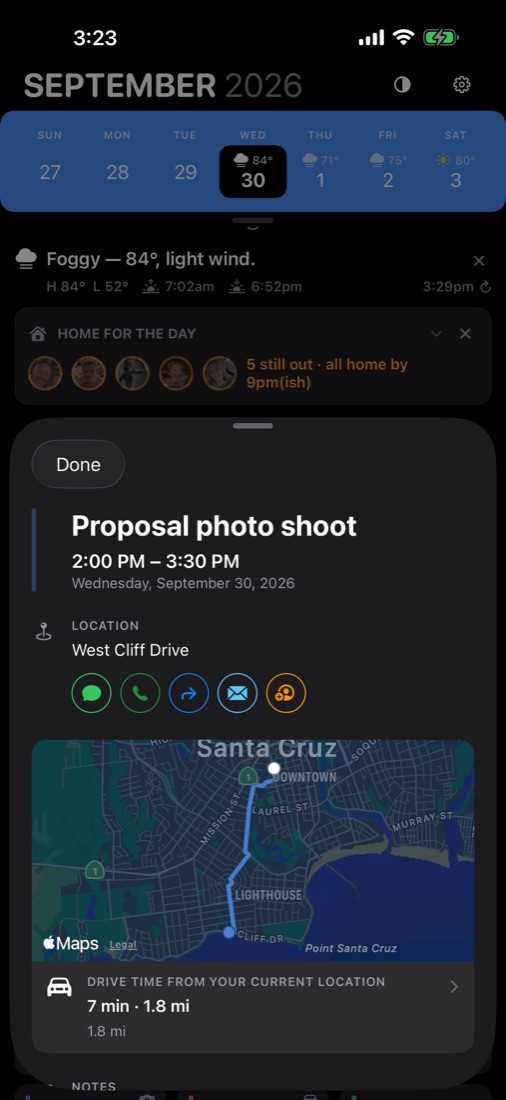
Open any event for the map, the drive time from where you are, and buttons to text, call or email.
Turn your iPhone, or open an iPhone Duo, and RadCal spreads out: the family on one side, a day on the other.
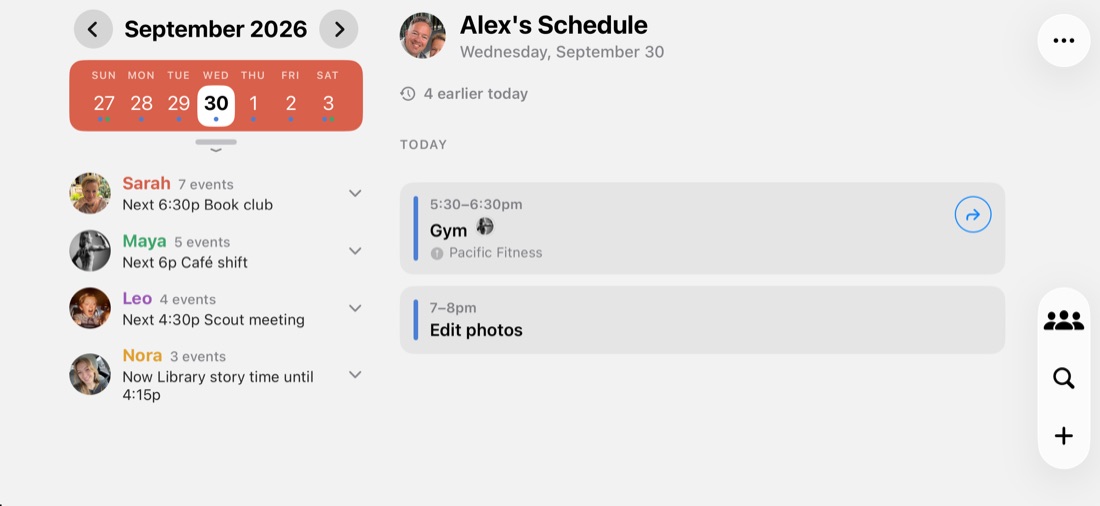
iCloud, Google, Outlook, school and work calendars. If it's on your iPhone, RadCal can show it.
Events that include more than one of you show up once, with the faces of everyone going.
The forecast sits right in the week, so Saturday's beach day comes with Saturday's weather.
Pull down for the month, flip to a list, or keep it to one day at a time. Light and dark mode too.
No accounts, no ads, no tracking, and no RadCal servers. Your family's schedule stays on your iPhone and in your own iCloud.
The ones your iPhone already has: iCloud, Google, Outlook, school and work. If one is missing, add its account in Settings → Apps → Calendar → Calendar Accounts, and it appears in RadCal's Settings → Calendars, ready to assign to a person.
They share their calendar with you in Apple Calendar or Google Calendar. Once it's on your iPhone, assign it to their person in RadCal.
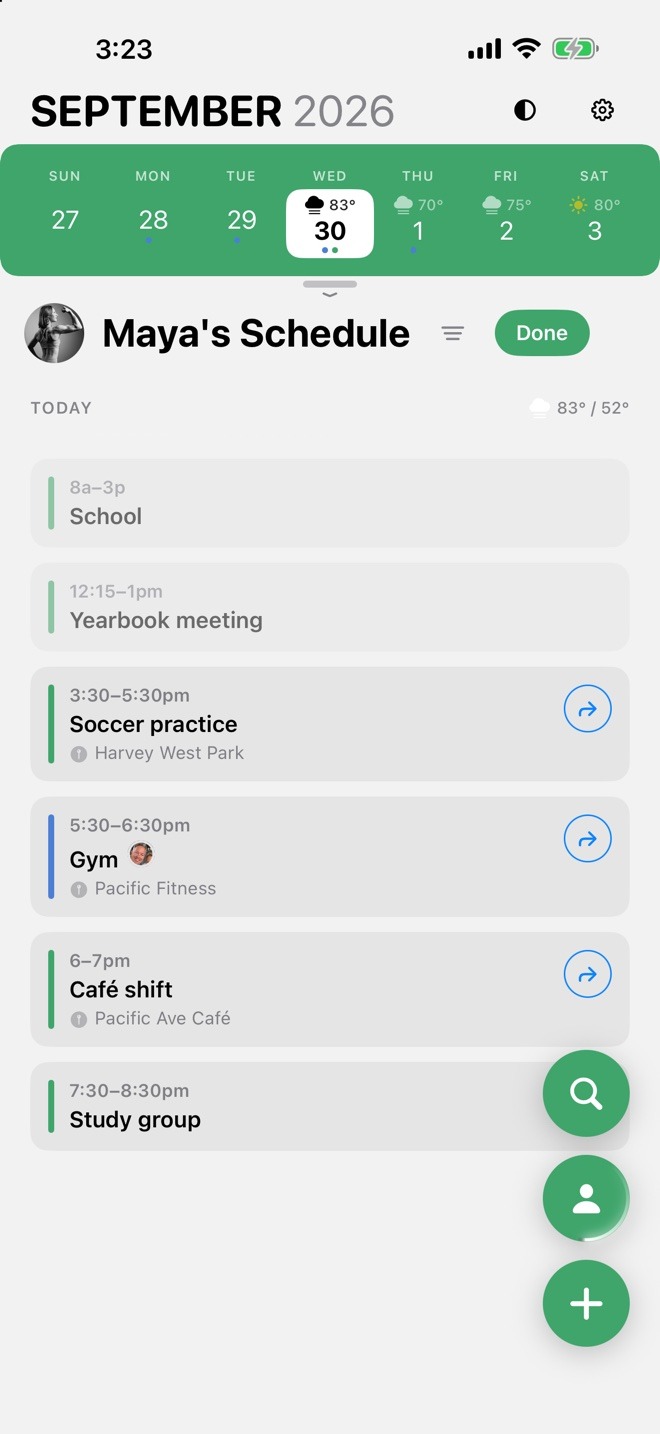
RadCal puts a copy of the event on each of their calendars. Move or delete the event and the copies move or disappear with it.
No. RadCal has no accounts and no servers. Your family's schedule stays on your iPhone and in your own iCloud.
Yes. Open an iPhone Duo, or turn any iPhone on its side, and RadCal spreads out: the family on one side, the day you're looking at on the other.
RadCal is coming to the App Store this fall. You can try it now through the TestFlight beta.
Coming to the App Store this fall.


